
Identify before you search
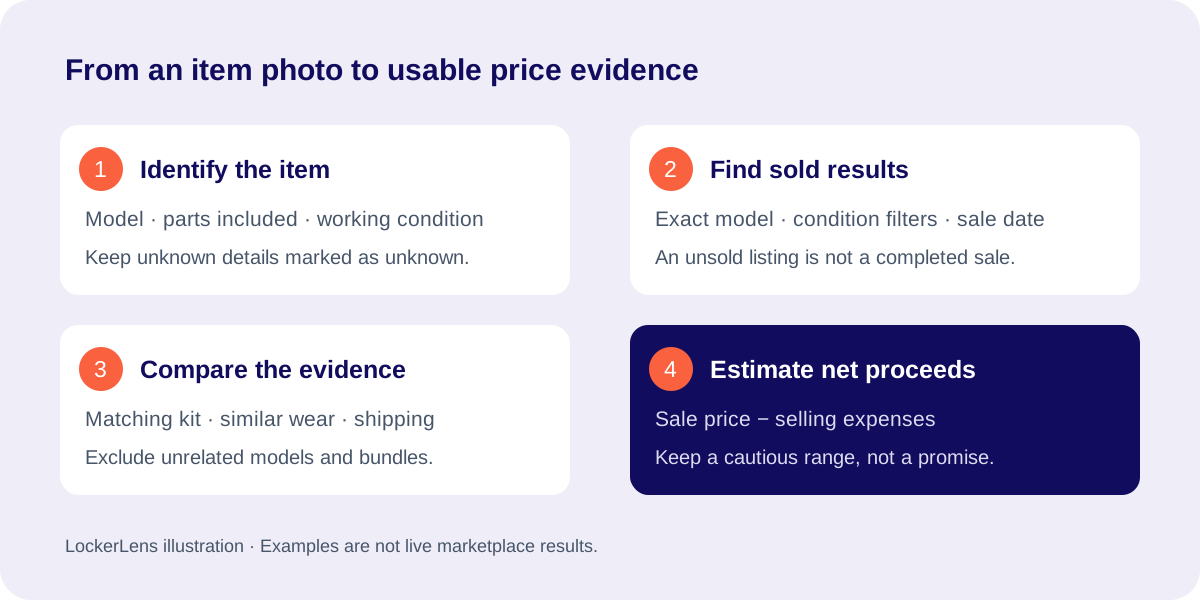
Read a model label if the photo makes it legible. Note the version, size, included accessories and visible wear. If you cannot distinguish a bare tool from a kit with a battery and charger, record both possibilities instead of choosing the better price.
Start with the most specific description supported by the photo. If the model cannot be confirmed, research a broader category and keep the estimate cautious. Do not turn an uncertain visual match into a confirmed brand or model.
Find comparable sold results
eBay also offers Product Research, which provides additional sale data and research filters. Its official help explains the available history and how accepted-offer prices differ from ordinary search results. Use that help when the public sold listing does not reveal the actual transaction amount.
- Enter the model or an evidence-based item description in eBay search.
- Select Sold Items, and check the condition and category filters.
- Open comparable results and inspect their photos and descriptions.
- Record sale date, item price, shipping, condition and included parts.
- Exclude unrelated models, parts-only lots and bundles that do not match.
Compare like with like
| Illustrative result | Use it? | Reason |
|---|---|---|
| Tested drill, battery and charger | Only for a comparable kit | The accessories and working test affect value |
| Same drill sold for parts | Useful downside evidence | Relevant when yours cannot be tested |
| Different premium model | Exclude | A similar shape does not make it the same product |
| Unsold asking price | Exclude from sold-price sample | It shows what was requested, not what was paid |
| Multi-item bundle | Usually exclude | The price cannot be assigned to one item reliably |
Turn a selling price into proceeds
For a hypothetical $100 sale with $15 of selling fees, $10 shipping paid by you and $5 packaging, the remaining proceeds are $70 before other costs. Use the actual fees for your selling account and category; this example is not an eBay fee schedule.
A bulky shelf that can be shipped nationally by another seller may still be a local-pickup item for you. Consider likely buyers, testing work and time to sell. Several well-matched sales are more useful than one unusually high result.
Keep an evidence trail
- Save the research date and links you used.
- Record what was excluded and why.
- Keep a low and high estimate when condition is unresolved.
- Separate a market observation from your own adjustment.
- Revisit prices when seasonality or a long selling period could change the outcome.
Sources and further reading
Check the current listing and the platform’s own terms before bidding. Examples on this page are illustrative.